
Key takeaways
- 1Time Doctor lists four plans: Basic, Standard and Premium at about $6.70, $11.70 and $16.70 per user per month on annual billing ($8, $14 and $20 month to month), plus a custom Enterprise plan. Prices read on its site on 22 November 2026.
- 2Per-user pricing grows with headcount: 20 people on Standard cost about $2,800 a year billed annually, or $3,360 month to month. That is our arithmetic from the list prices.
- 3Before you pick any tracker, compare five things: how activity is measured, whether screenshots are optional, where the data is stored, how reports reach payroll, and how much the tool can be changed.
- 4Work Pulse, our own product, counts keyboard and mouse activity and never records the keys pressed, makes screenshots optional, and can run in our cloud or on your own servers. It has no public price list; we quote in writing after a demo.
- 5Whatever you choose, tell your staff what is collected and why, collect only what you need, and check your local law first.
If you are looking for a Time Doctor alternative, start by comparing five things rather than the price alone: how activity is measured, whether screenshots are optional, where the data is stored, how reports reach payroll, and how much the tool can be changed. Time Doctor charges per user per month, from about $6.70 to $16.70 on annual billing as of 22 November 2026, so the bill grows with every person you add. This guide sets out what Time Doctor lists, what to check in any tracker, and how our own product, Work Pulse, compares.
What does Time Doctor cost, and what do you get?
Time Doctor's pricing page, read on 22 November 2026, lists these plans. Prices are per user per month.
| Plan | Billed annually | Month to month |
|---|---|---|
| Basic | about $6.70 | $8 |
| Standard | about $11.70 | $14 |
| Premium | about $16.70 | $20 |
| Enterprise | Custom | Custom |
Annual billing gives two months free, a 16.6% discount, according to the page's FAQ. There is a 14-day free trial of the Premium features, with no credit card needed. Screenshots are included from the Basic plan, and the site says screenshot blurring is something you control. The Enterprise plan lists a private cloud deployment. The pages we read also show ISO 27001 and SOC 2 Type 2 badges.
The pages we read do not say whether keystroke content is recorded, where the data is hosted, or whether you can host it yourself. If those points matter to you, ask Time Doctor to confirm them in writing.
Why do teams look for a Time Doctor alternative?
The usual reasons are cost, control and fit. Per-user pricing is easy to start with and harder to live with as the team grows. Our arithmetic from the list prices above:
- 20 people on Standard: about $2,800 a year billed annually, or $3,360 month to month.
- 20 people on Premium, month to month: $4,800 a year.
Some teams also want to know where employee data is stored, to switch screenshots off, or to change how the tool behaves. Those are questions about control, and they are worth settling before you roll anything out.
What should you compare before choosing a time tracker?
Use the same questions for every vendor, including us.
| Question | Why it matters |
|---|---|
| How is activity measured? | Counts of keyboard and mouse use say how active a minute was. Recording content says what someone typed. Those are very different things to ask of your staff. |
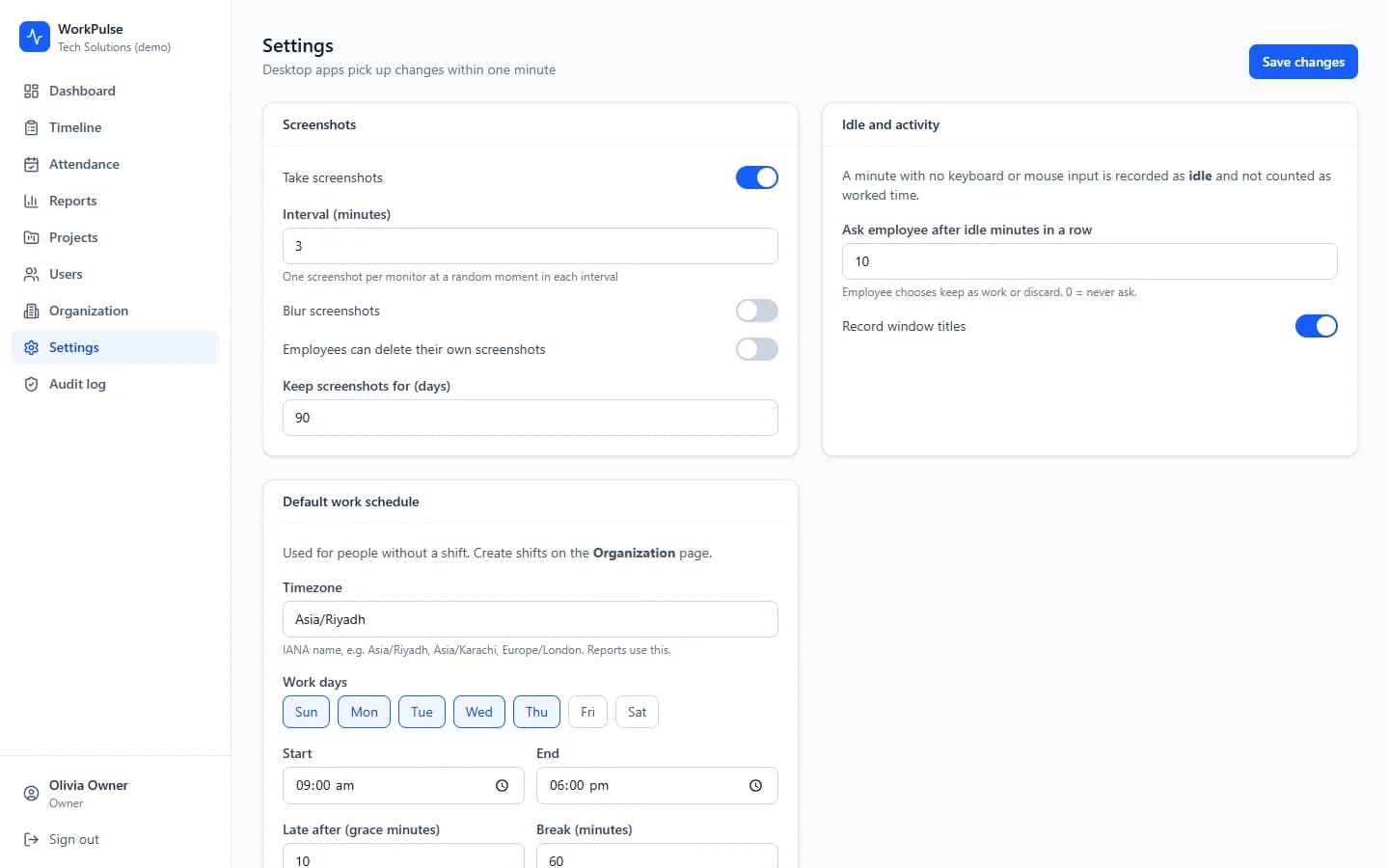
| Are screenshots optional? | You should be able to turn them off, set the interval, blur them and delete them after a set number of days. |
| Where is the data stored? | Some firms want records on their own servers. Ask whether you can self-host, and what hybrid means. |
| How do hours reach payroll? | Look for a CSV export by person and by day, so nobody retypes numbers. |
| How does the price grow? | Per-user plans scale with headcount. Ask for the price at your team size and at double it. |
| Can it be changed? | Ask what is included in support and what counts as a custom job. |
| Who sees what? | Managers should see their own team, and views of sensitive data should be logged. |
How does Work Pulse compare?
Work Pulse is our time-tracking and team-visibility product: a desktop app records worked time, activity and optional screenshots, and a web dashboard shows a live team view, timelines, attendance and reports. It is a lighter, customisable alternative to tools like Time Doctor. Here is how the two line up on the points above, using only what each side publishes.
| Time Doctor (pages read 22 Nov 2026) | Work Pulse | |
|---|---|---|
| Price | Per user per month, four plans | A monthly plan priced to your team size and needs, quoted in writing after a demo |
| Activity | Whether keystroke content is recorded is not stated | Keyboard and mouse counts only, never the keys pressed |
| Screenshots | Included from Basic, with blurring | Optional: you set the interval, can blur them, and set how many days they are kept |
| Data location | Not stated; Enterprise lists a private cloud | Our cloud, a hybrid setup, or fully in-house on your servers |
| Attestations | ISO 27001 and SOC 2 Type 2 badges shown | None claimed |
| Changes | Not stated | Basic customisation is in the monthly support plan; larger work is scoped and quoted |
| Trying it | 14-day free trial | A live demo on sample data |
| Support | Not stated | 24/7, with a commitment to resolve issues within 24 hours |
The honest trade-off: if you need ISO 27001 and SOC 2 reports from a large vendor, Time Doctor shows them and we do not claim them. If you want to keep employee records on your own servers, switch screenshots off entirely, or have the tool adapted to how your team works, that is what Work Pulse is built for.
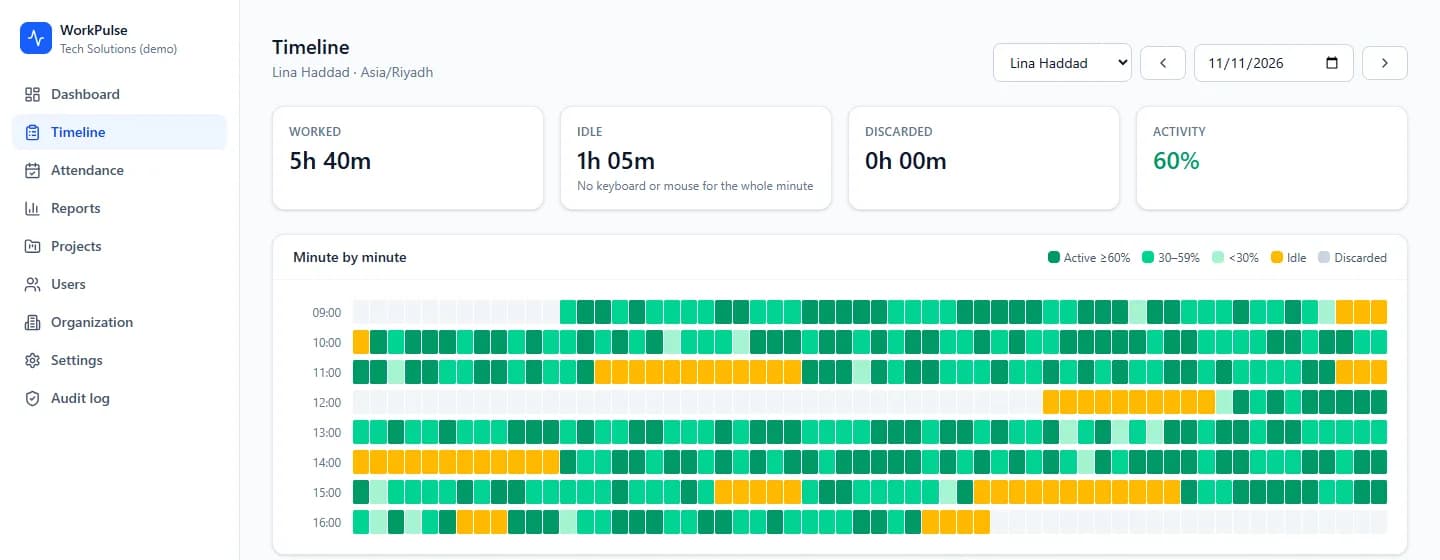
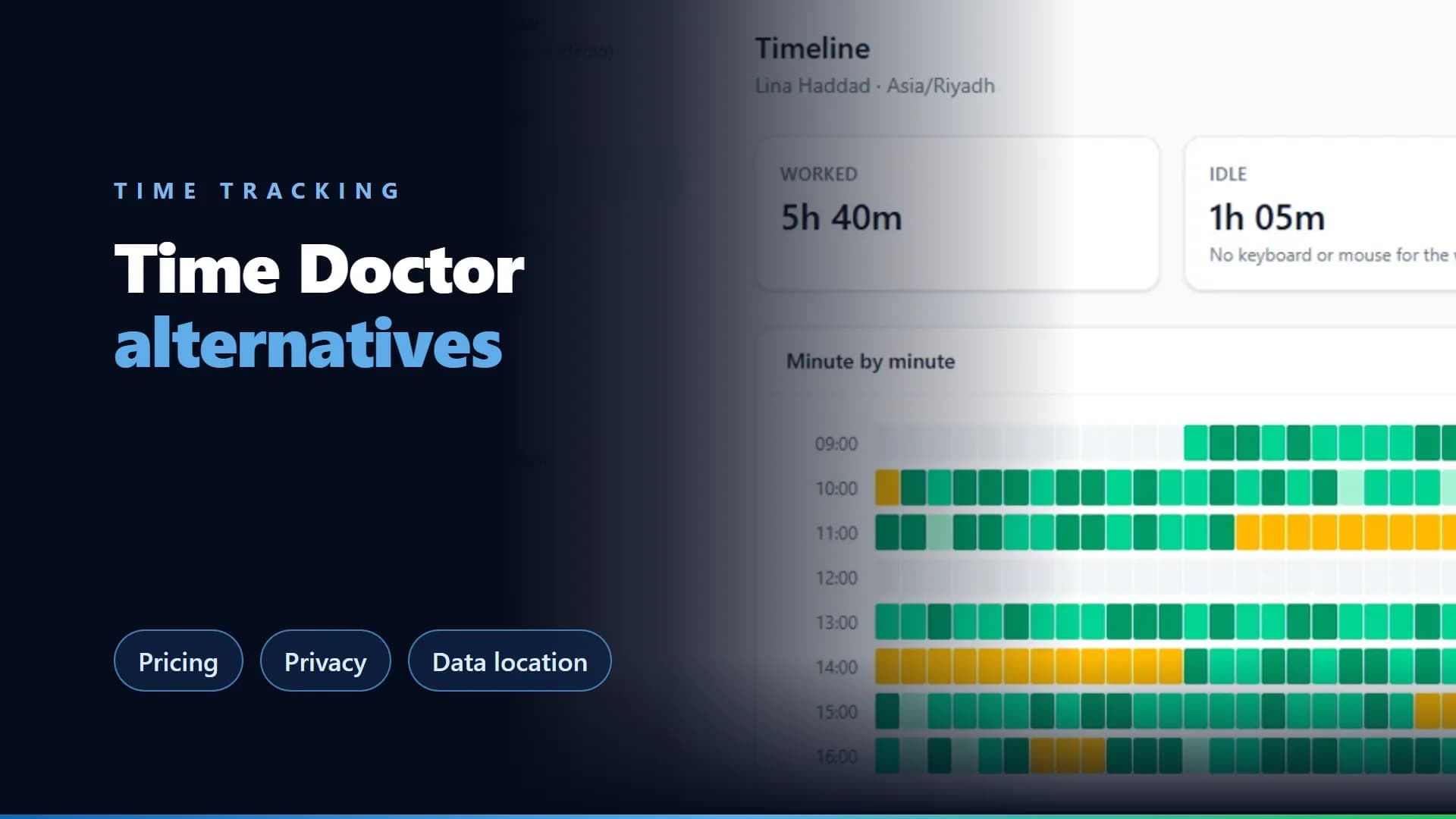
The timeline marks each minute of a day as active, low activity or idle. A team dashboard shows attendance, worked and idle time for the day and a live list of every person. Attendance flags late arrivals, early departures and absences against each person's schedule, and reports export to CSV for payroll or client billing. The screens above use demonstration data and a fictional team.
How do you introduce tracking without losing your team's trust?
Monitoring staff is sensitive. These steps help whichever tool you choose:
- 1Say why. Write down the business reason, for example paying hourly contractors fairly or seeing who is stuck on a remote team.
- 2Tell your team first. Staff should know the tool exists, what it collects and who sees it.
- 3Collect less. Start with time and attendance. Switch screenshots off unless you have a clear need.
- 4Limit who sees what. A manager needs their own team, not the whole company.
- 5Set a retention period. Delete old screenshots and records on a schedule.
- 6Treat idle time fairly. A minute with no input is not always a minute not working, for example on a phone call.
- 7Check your local law. Rules differ by country and often require that staff are informed. We are not lawyers.
Which should you choose?
Pick the tool whose answers fit your rules, not the one with the longest feature list. If you want a well-known vendor with published attestations and a free trial, look at Time Doctor and read its terms. If you want a monthly plan, your own servers if you prefer, optional screenshots and a tool that bends to your process, look at Work Pulse. Either way, run a pilot with a small group before you roll it out to everyone.
If you also need on-site attendance, our attendance systems connect fingerprint and face readers to rosters and payroll, and our guide to fingerprint versus face attendance explains which suits a site. Tell us your team size and how you work and we will arrange a demo on sample data.
Frequently asked questions
Time Doctor’s pricing page, read on 22 November 2026, lists Basic at about $6.70, Standard at about $11.70 and Premium at about $16.70 per user per month on annual billing. Month to month the same plans are $8, $14 and $20. The Enterprise plan is custom. It offers a 14-day free trial without a credit card. Check the page for the current figures before you budget, because vendors change prices.
Compare how activity is measured (counts or content), whether screenshots are optional and can be blurred or auto-deleted, where the data is stored and whether you can host it yourself, how the reports export for payroll, how the price grows with headcount, and whether the vendor will adapt the tool to your process. Ask each vendor to put the answers in writing.
Some tools can, and it differs by product. Time Doctor’s pages we read do not say whether keystroke content is recorded, so ask them directly. Work Pulse measures activity from keyboard and mouse counts only and never records the keys pressed, so it shows how active a minute was, not what was typed. Whichever tool you use, tell staff exactly what is collected.
Rules differ by country, and many require that staff are informed and that monitoring is proportionate to a real business need. We are not lawyers, so check your local law before you roll anything out. As a rule, tell your team what is collected and why, collect only what you need, and keep the data for as short a time as you can.
Get new articles by email
How we build automation and software, with the lessons learned. One short email when a new article goes up. No spam.
- #Time Doctor Alternative
- #Employee Time Tracking
- #Remote Team Monitoring
- #Work Pulse
- #Attendance Software