
Key takeaways
- 1Fleet management software joins four jobs that small fleets usually run separately: tracking, dispatch, maintenance and parts.
- 2The biggest savings come from preventive maintenance and idle-time reports, not from the map.
- 3A vehicle that is due for service should not be sent on a long trip, so dispatch and maintenance need to share one list.
- 4Off-the-shelf software starts fast and charges per vehicle; custom software fits when you already have GPS trackers and your own rules.
- 5Whatever you choose, ask who owns the data, how overdue work is flagged and whether it reads your existing GPS platform.
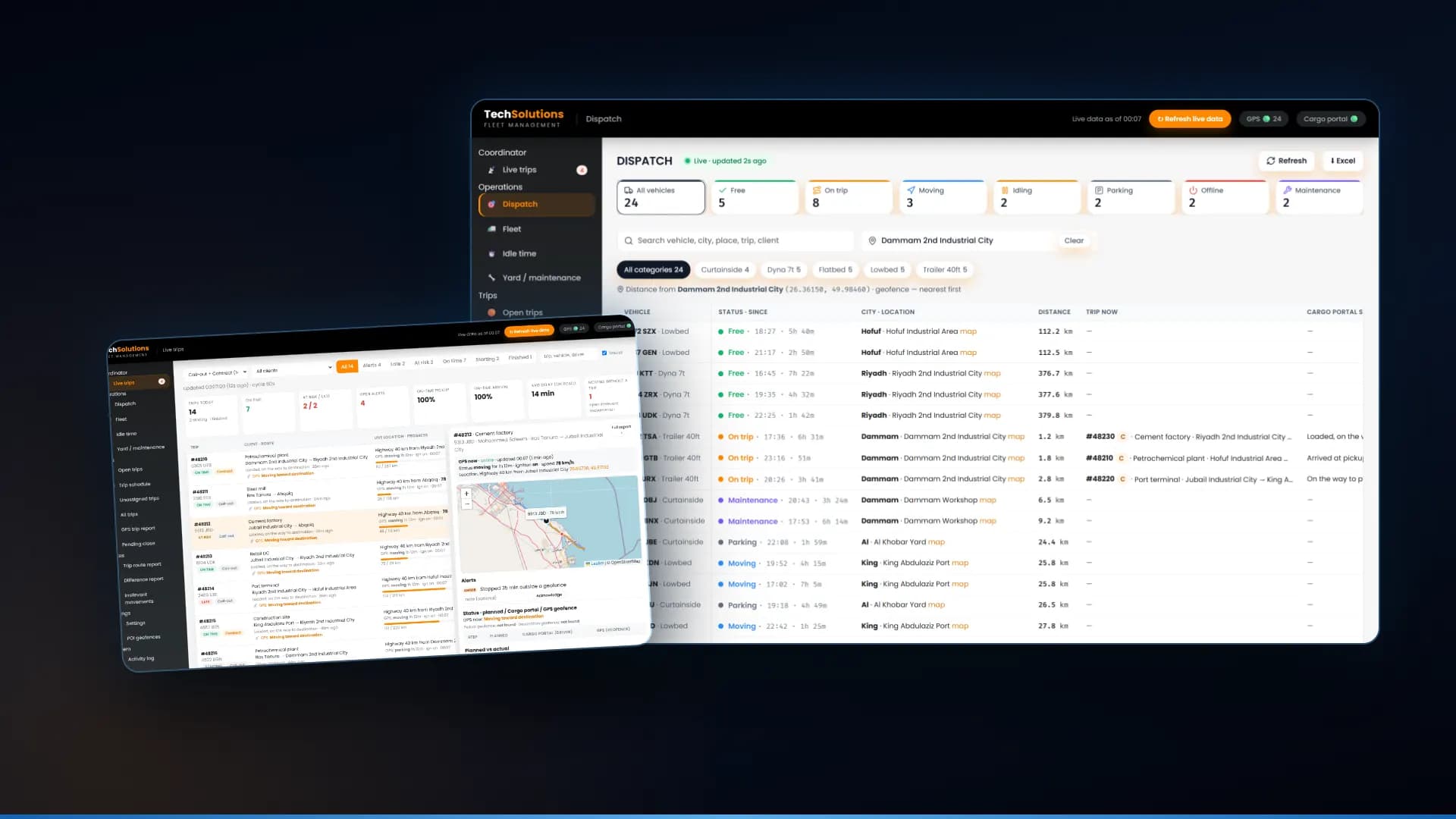
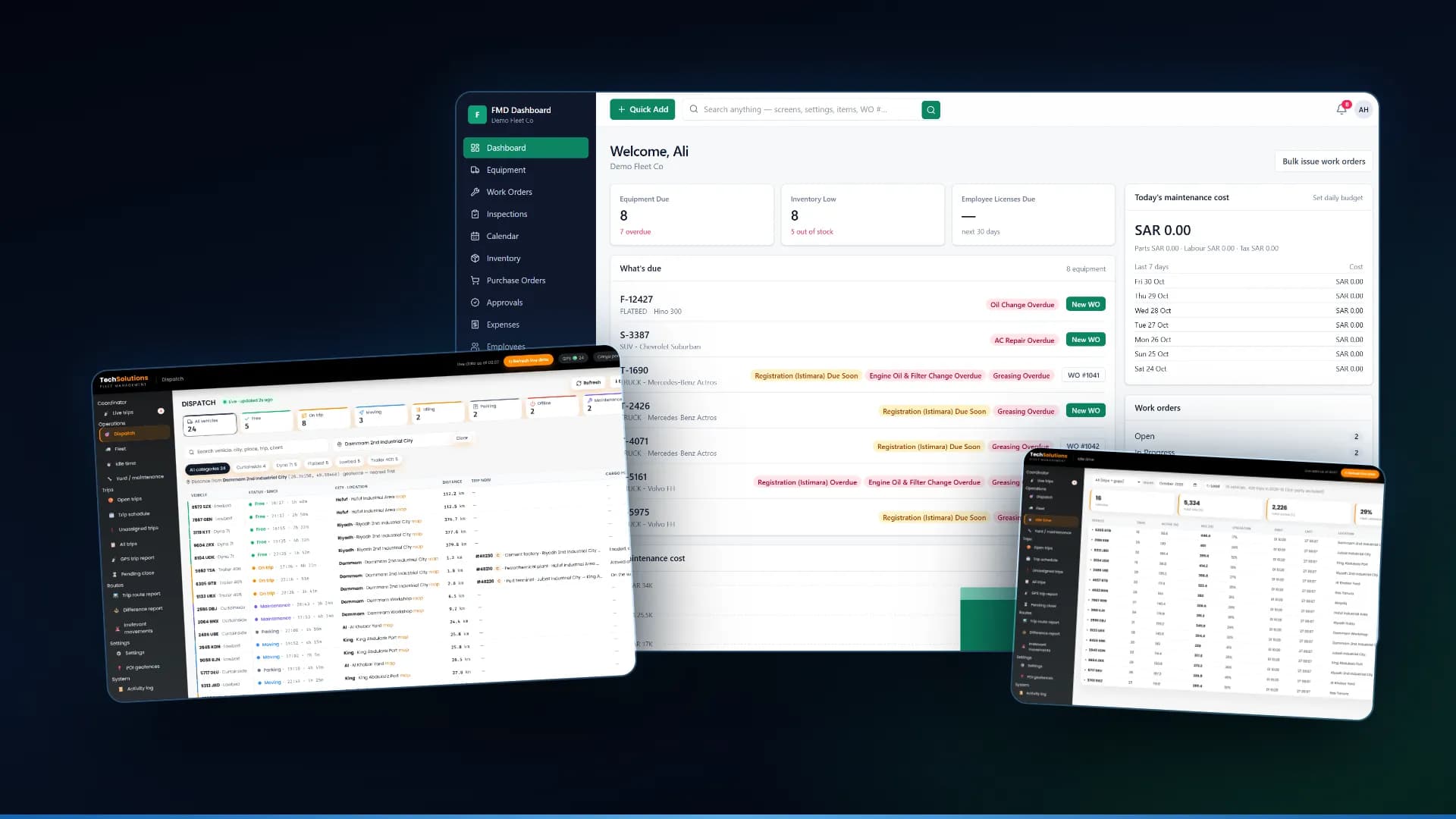
Fleet management software for a small business joins four jobs that most fleets run separately: tracking where vehicles are, dispatching them to trips, maintaining them and managing the parts that keep them running. The map is the part everyone sees, but the money is saved by the other three: a truck that is serviced on time, a trip given to the nearest free vehicle, and a part that is on the shelf when it is needed. Below are nine features that matter, with screens from the systems we built for a transport company in Saudi Arabia.
1. A live board of every vehicle
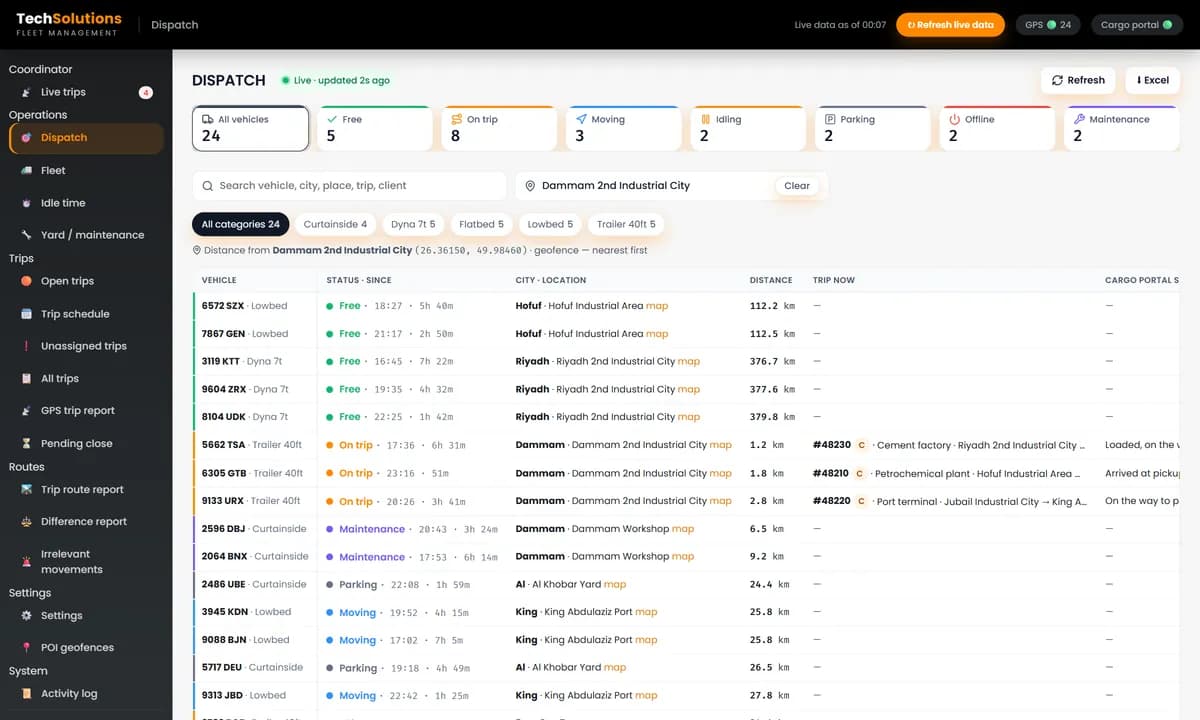
Every vehicle as free, on a trip, moving, idling, parked, offline or in maintenance, with how long it has been that way. This is the first screen a dispatcher opens, and the one that replaces the phone calls.
2. Dispatch that picks the nearest free truck
Type a pickup and the board ranks the fleet by distance, free vehicles first. We cover this in detail in our guide to dispatch software for small trucking companies.
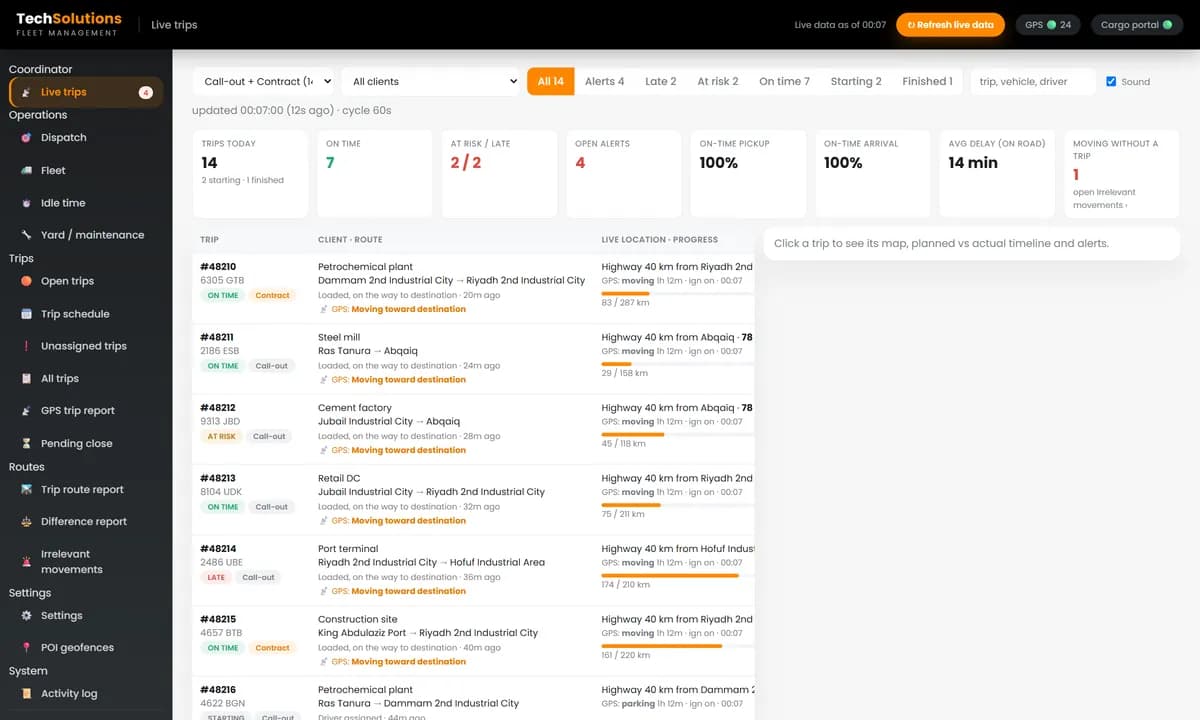
3. Live trips with ETA and alerts
Each trip on the road with progress, ETA and delay, and alerts for late trips, long stops and vehicles moving without a trip.
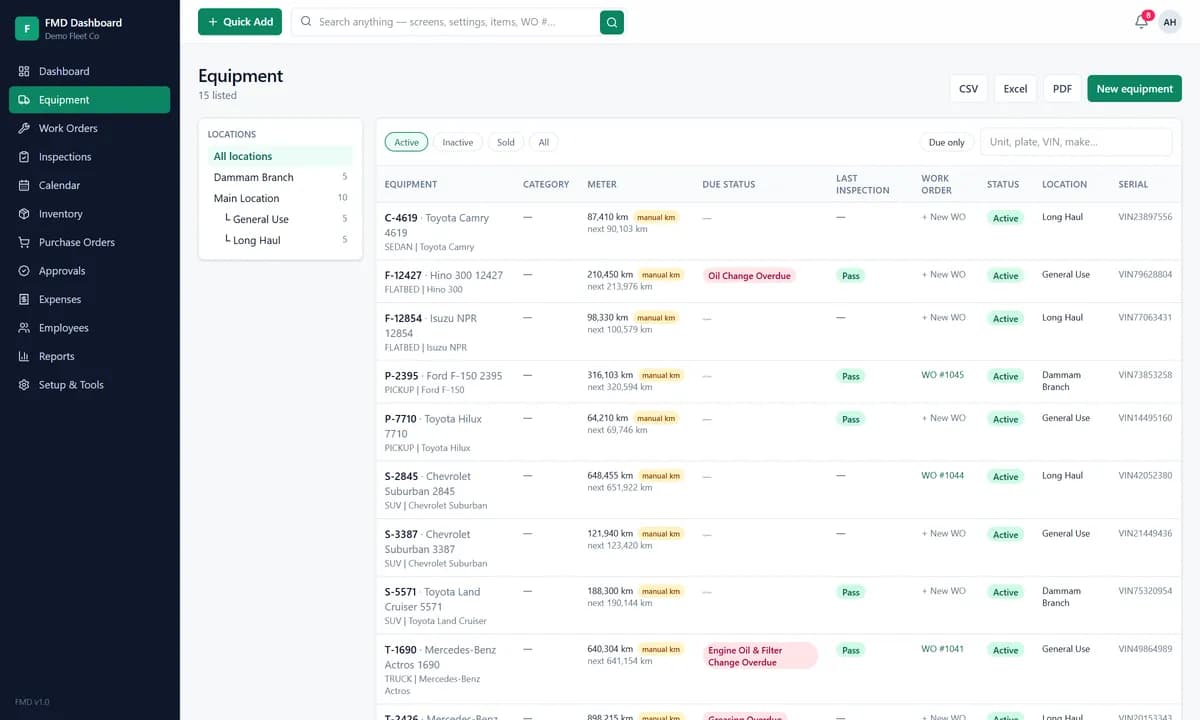
4. An equipment register
Each vehicle with its make, model, plate, location, current meter reading, status, last inspection and open work orders, in one list you can filter by location and status.
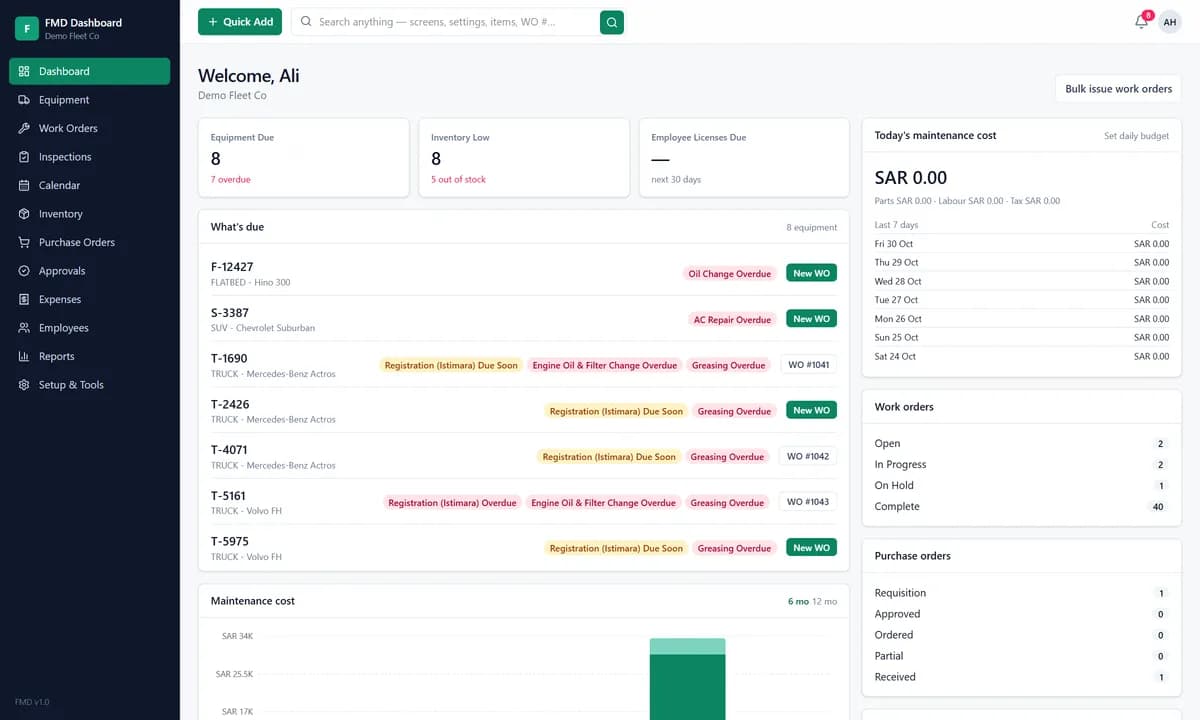
5. Preventive maintenance by kilometres and dates
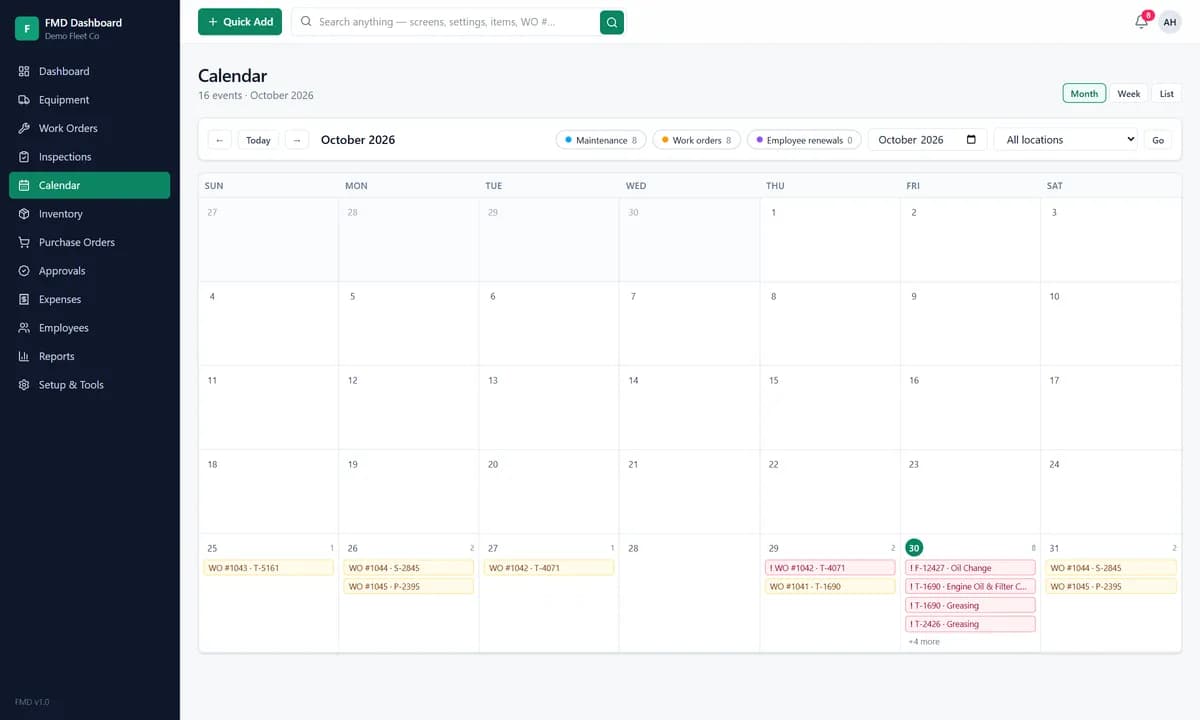
Recurring tasks such as oil changes, greasing and registration renewals, set by kilometres, by dates or both, with advance notice and an overdue flag. This is where most small fleets lose money, and where a dashboard of what is due changes the most.
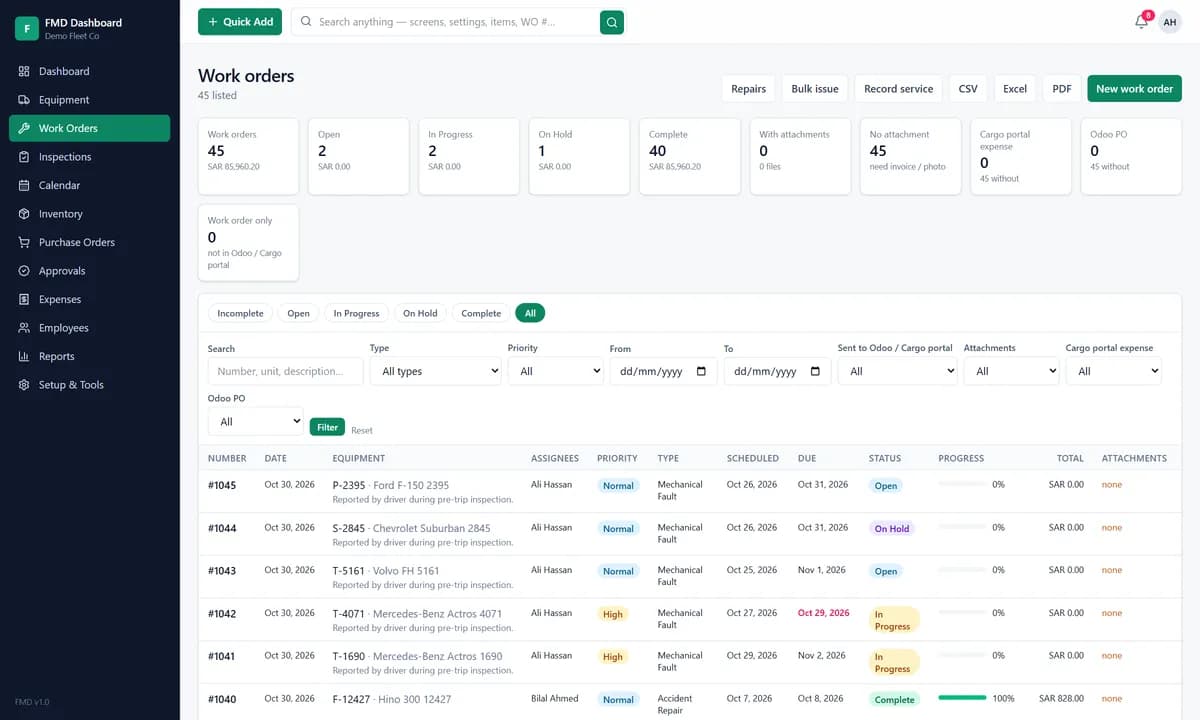
6. Work orders and repair requests
Drivers report a fault, a repair request becomes a work order with a priority, an assignee, tasks, parts, labour and downtime, and the cost lands on that vehicle's record. A fleet then knows what each truck costs to keep on the road.
7. Inspections and a service calendar
Daily pre-trip inspection checklists with pass and fail results, and a calendar of every maintenance task and work order, so the workshop can plan the week.
8. Parts, stock and purchasing
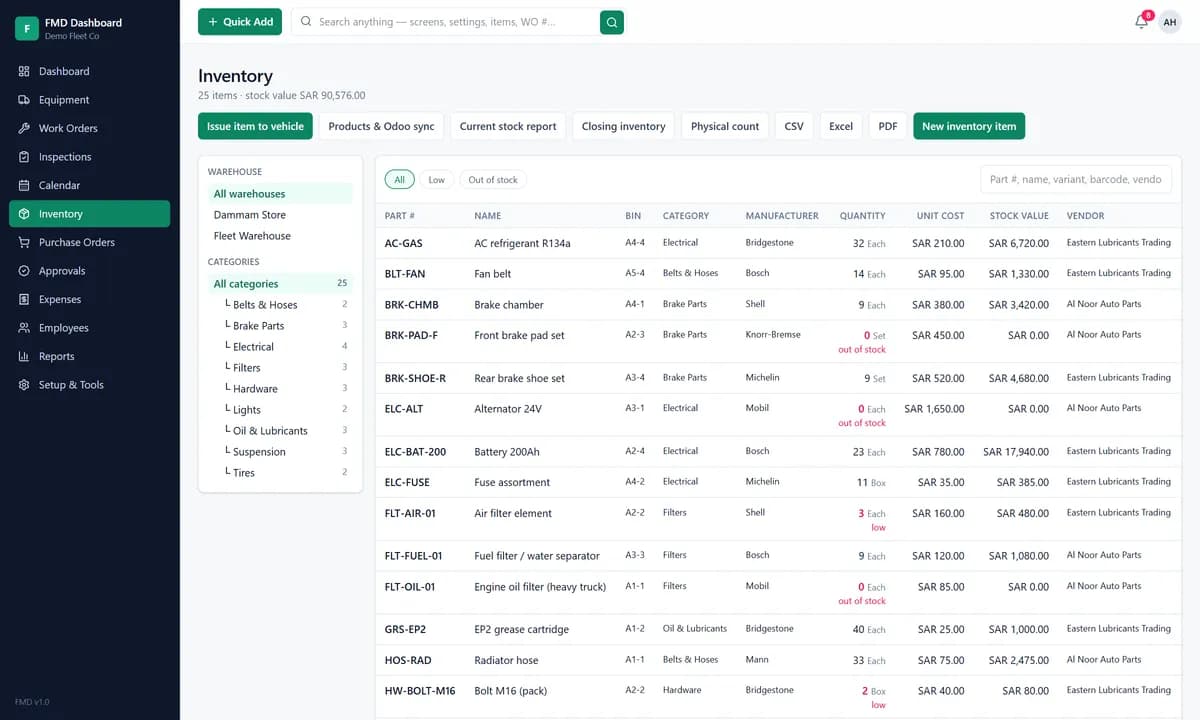
Parts with stock levels and low-stock flags, warehouses, vendors and purchase orders from requisition to received, so a truck is not waiting in the yard for a filter.
9. Idle time and utilisation
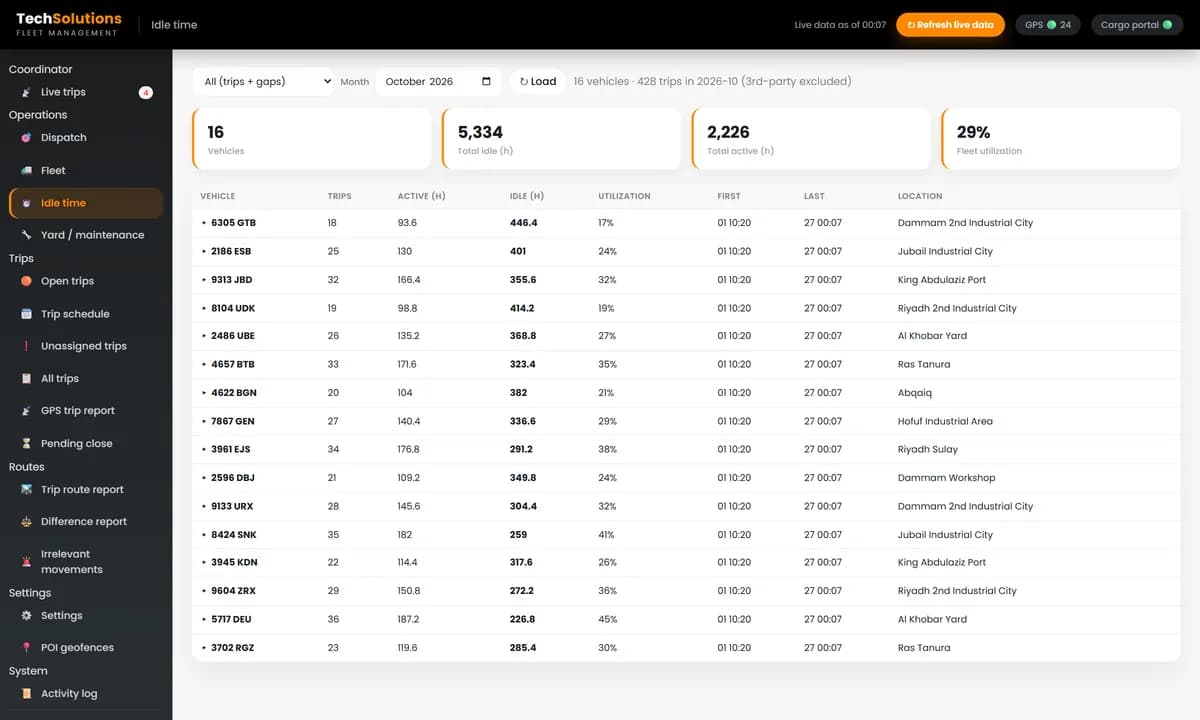
For each vehicle, trips, active hours, idle hours and utilisation. It shows whether you need another truck, or whether the ones you have are standing still.
Off-the-shelf or custom?
Off-the-shelf fleet software is quick to start and charges per vehicle each month. It suits a fleet whose process matches the product. Custom software makes sense when you already pay for GPS tracking and a trip or order portal, when dispatch and maintenance must share one list of vehicles, or when your contracts need their own rules and reports. Our fleet management software and dispatch software are built that way, on top of the GPS platform you already use, and our fuel monitoring system adds fuel data per trip.
Questions to ask before you buy
1. Does it read our existing GPS trackers, or do we need new hardware? 2. Does maintenance share a vehicle list with dispatch, or are they separate tools? 3. Can tasks run by kilometres as well as by dates? 4. How are overdue services and renewals flagged, and to whom? 5. Does it track parts, stock and purchase orders? 6. Who owns the data, and can we export it to Excel?
We build fleet management software for businesses in Saudi Arabia, the UAE, the UK and Pakistan. Tell us how many vehicles you run and we will show you the board and the maintenance dashboard with your own fleet.
*Screens are from the systems we built, shown with demonstration vehicles, trips and parts. Third-party platform names are replaced with generic labels.*
Frequently asked questions
Live vehicle status and location, dispatch, an equipment register, preventive maintenance by kilometres and dates, work orders and repair requests, inspections, parts inventory with purchasing, fuel and expense tracking, and reports on cost, utilisation and idle time.
Around ten vehicles, when one person can no longer keep every truck’s location, service dates and costs in their head. Missed services and idle trucks then cost more than the software.
Each vehicle has a meter reading and a set of recurring tasks, such as an oil change every set number of kilometres. The software flags a task as due soon and then overdue, creates a work order, and records the parts, labour and downtime.
Off-the-shelf is quick and charges per vehicle. Custom is worth considering when you already pay for GPS tracking and a trip system, need dispatch and maintenance to share data, or have rules and reports specific to your contracts.
Yes. We build and support fleet software remotely for businesses in Saudi Arabia, the UAE, the UK and Pakistan.
Get new articles by email
How we build automation and software, with the lessons learned. One short email when a new article goes up. No spam.
- #Fleet Management
- #Fleet Maintenance
- #Dispatch
- #GPS Tracking
- #Logistics