
Key takeaways
- 1A CMMS (computerised maintenance management system) is software that tracks your assets, schedules preventive maintenance, runs work orders and controls spare parts, so maintenance is planned instead of a scramble when something breaks.
- 2A small business needs one when spreadsheets and WhatsApp stop coping: missed services, repairs with no cost trail, and parts that run out without warning are the usual triggers.
- 3Judge a CMMS on six things: assets and preventive maintenance, work orders with cost per asset, parts and inventory, mobile use, reporting, and how fast your team will actually adopt it.
- 4Modern SMB options include MaintainX (mobile and fast rollout), Fiix (free tier), Limble (feature depth) and UpKeep (compliance); listed prices run roughly $16–$45 per user per month, but implementation, data migration and training are often extra, so ask for the first-year total.
- 5For vehicle and equipment fleets specifically, a fleet-focused CMMS that ties parts and consumption to each vehicle, like our Fleet Maintenance & Inventory Management System, usually fits better than a generic facilities CMMS.
A CMMS (computerised maintenance management system) is software that tracks your assets, schedules preventive maintenance, runs work orders and controls spare parts. For a small business, the right one turns maintenance from a scramble into a plan. This guide covers what a CMMS does, the features that matter, honest pricing, the main options, and how to choose, without the jargon.
Prices and product notes below come from vendor pages and 2026 comparison guides, read this month. They conflict between sources and change often, so use them to judge whether a quote is fair, not as the price you will pay. Always confirm current pricing with the vendor.
What a CMMS is
A CMMS keeps four things in one place:
- Assets: a record of each machine, vehicle or piece of equipment, with its details, history and status.
- Preventive maintenance: scheduled service by time or usage, with a reminder before it is due, so nothing slips.
- Work orders: a breakdown or a planned job becomes a task with an owner, a priority and a cost.
- Parts and inventory: spare parts tracked, issued to jobs, and reordered before they run out.
The goal is to move from reactive maintenance (fix it when it breaks, pay for the downtime) to planned maintenance (catch it early, spend less).
Does your small business need one?
You have probably outgrown spreadsheets when:
- Services get missed or done late because nobody saw them coming.
- A repair happens and its cost never lands on the asset, so you cannot tell which machine or vehicle is draining money.
- Parts run out without warning and a job waits.
- Maintenance knowledge lives in one person’s head, and you are exposed when they are off.
If two or more of those sound familiar, a CMMS will usually pay for itself in avoided downtime and tighter parts spend.
The six things to compare
Ignore the feature-count race. These decide whether a CMMS fits a small team:
- 1Assets and preventive maintenance. Can it schedule by date and by usage (hours, kilometres), and warn you before a service is due?
- 2Work orders with cost per asset. Does each job land its parts, labour and downtime on the right asset, so you can see your expensive ones?
- 3Parts and inventory. Stock with unit cost, low-stock alerts, and parts issued to a job so consumption is tracked. Shallow inventory is where cheap tools fall down.
- 4Mobile. Your technicians live on their phones. A CMMS nobody opens in the field is shelfware.
- 5Reporting. Maintenance cost over time, cost per asset, overdue work, at a glance.
- 6Adoption. The best CMMS is the one your team actually uses. Fast setup and a clean mobile app matter more than a long feature list.
The main options in 2026
| Tool | Best at | Pricing (listed, verify) |
|---|---|---|
| MaintainX | Mobile usability, fast rollout | ~$16–$20/user/mo |
| Fiix (Rockwell) | Free tier to start | ~$45/user/mo paid |
| Limble | Depth of asset features | ~$28–$99/user/mo |
| UpKeep | Compliance and audit readiness | ~$20–$150/user/mo |
| Our Fleet Maintenance & Inventory system | Vehicle/equipment fleets, parts tied to each vehicle | Monthly, priced to your fleet |
Notes, kept honest: these rankings come largely from vendor and comparison sites, so read them as opinion, not independent testing. In general, MaintainX is praised for mobile rollout speed, Fiix for its free tier, Limble for feature depth, and UpKeep for compliance. The Reliable 2026 comparison is a reasonable independent-leaning starting point.
What it really costs
The per-user rate is not the real cost. Watch for:
- Per-user pricing that climbs as you add technicians. For a big team, that adds up.
- Implementation, data migration and training, often charged separately on top of the subscription.
- Platform or integration fees for connecting accounting, parts suppliers or sensors.
So a "$20 a month" tool can land very differently once set-up is included. Ask every vendor for the first-year total for your number of users, including onboarding, and compare that.
Where a fleet is different
If your "assets" are mostly vehicles and equipment, a generic facilities CMMS can feel like a poor fit. A fleet-focused system handles the things that matter for a workshop: service by kilometres, registration and licence renewals, and parts and consumption tied to each vehicle.
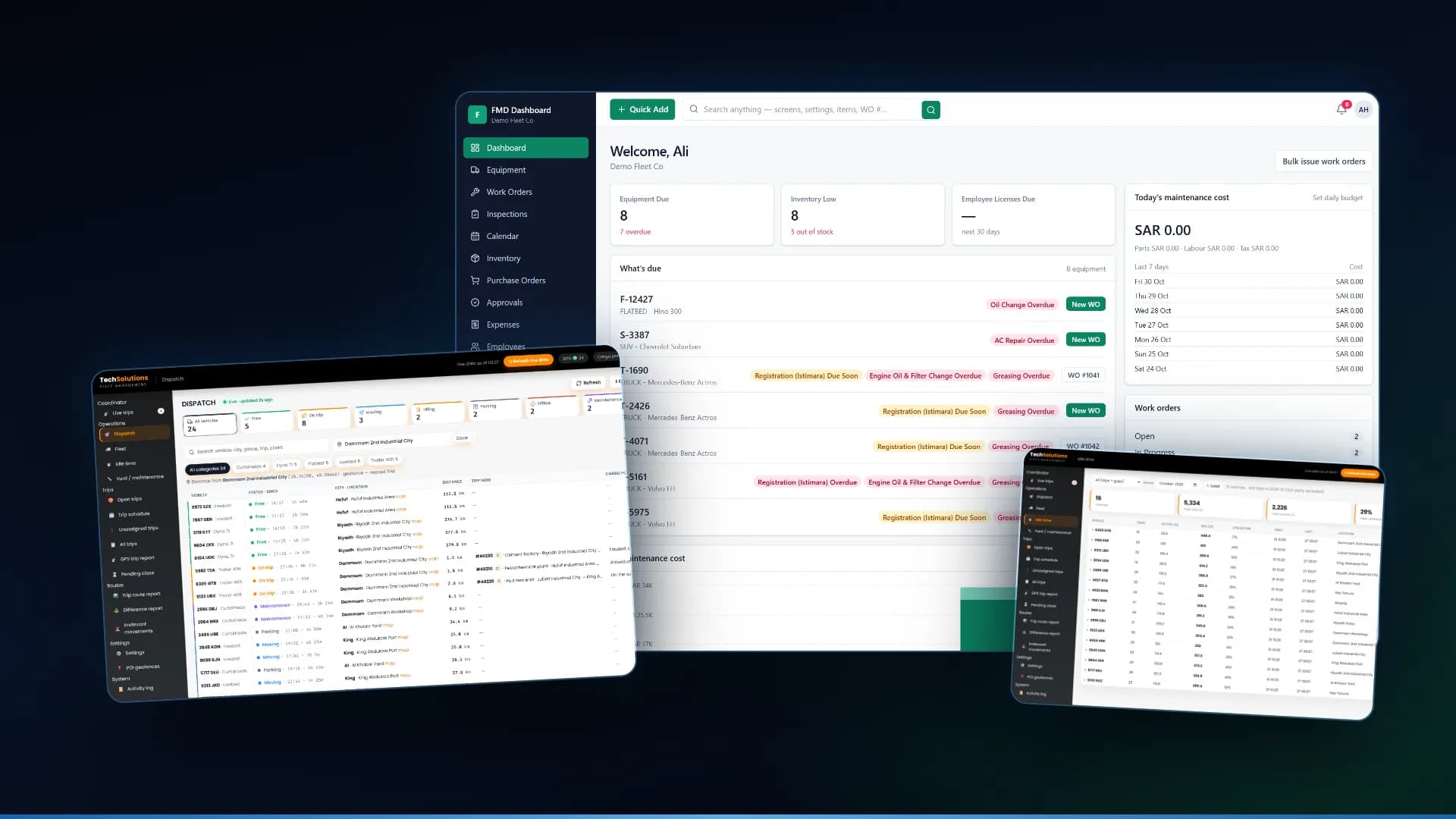
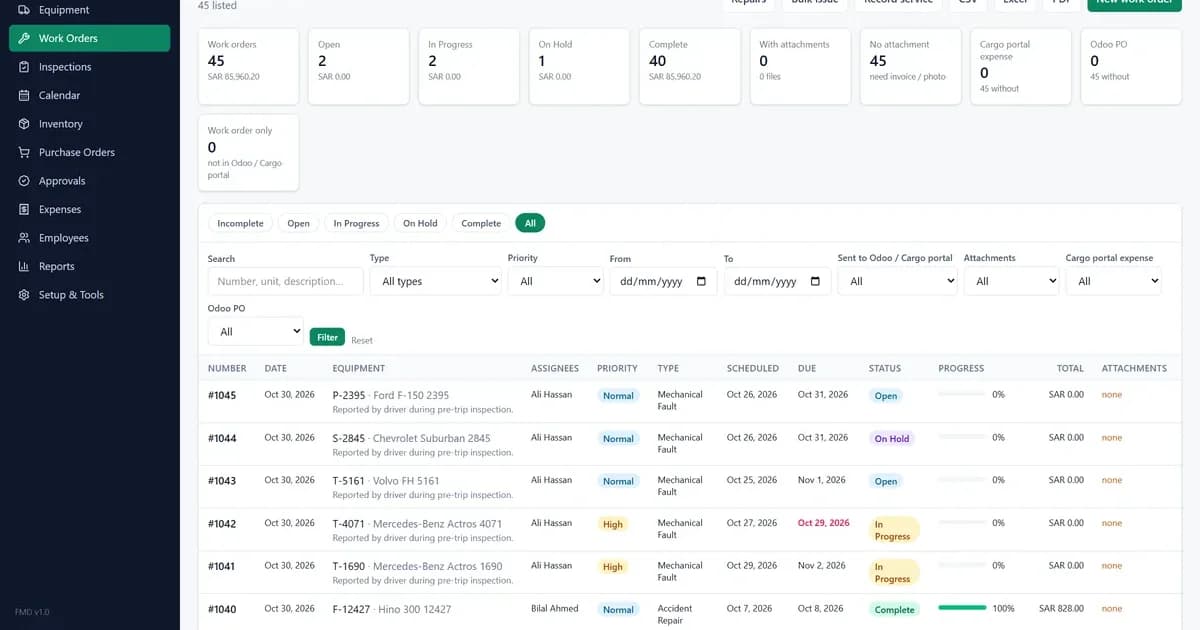
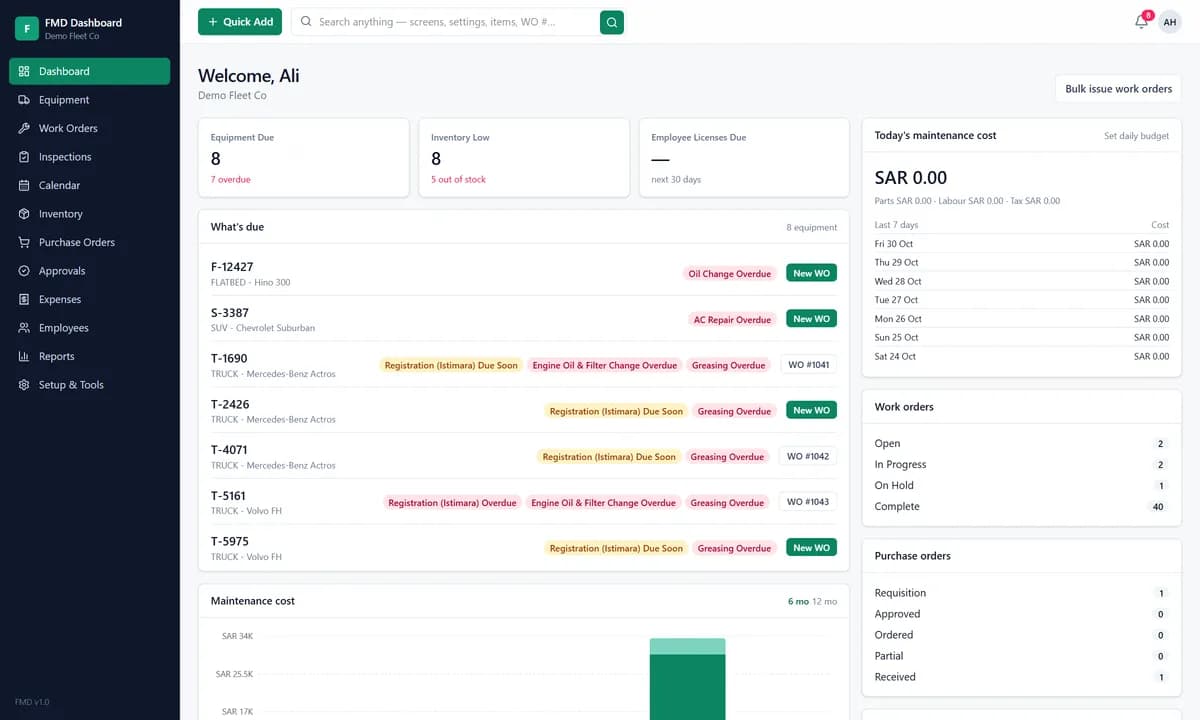
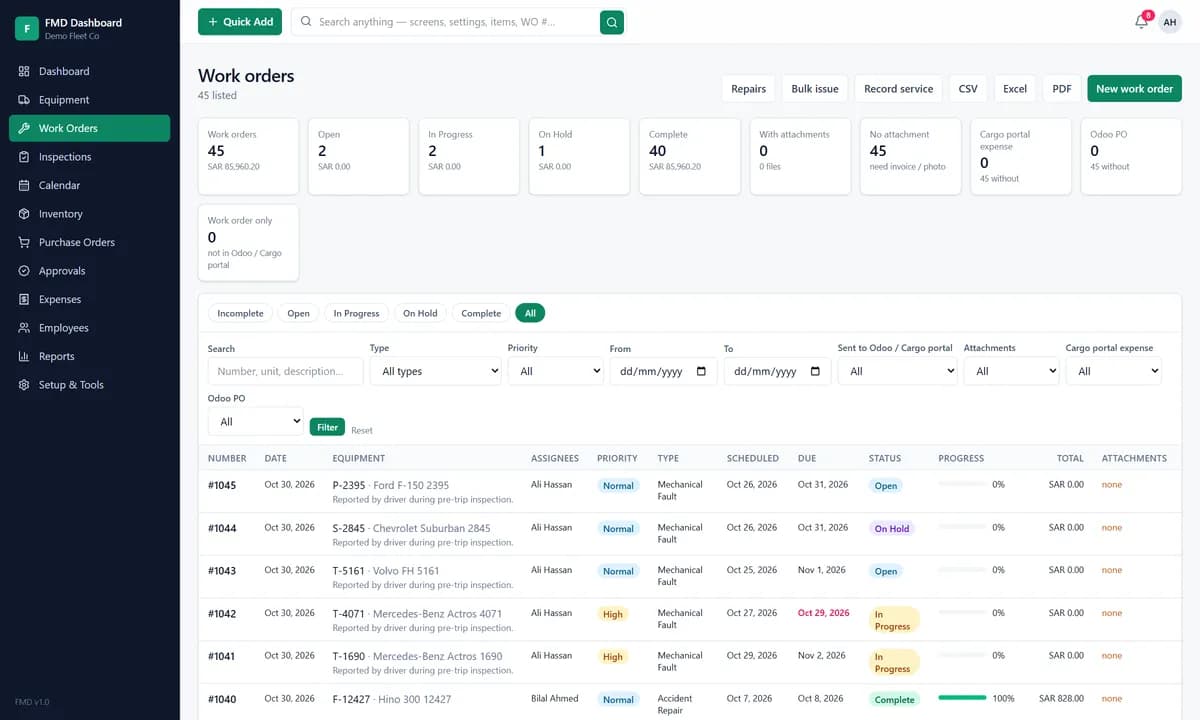
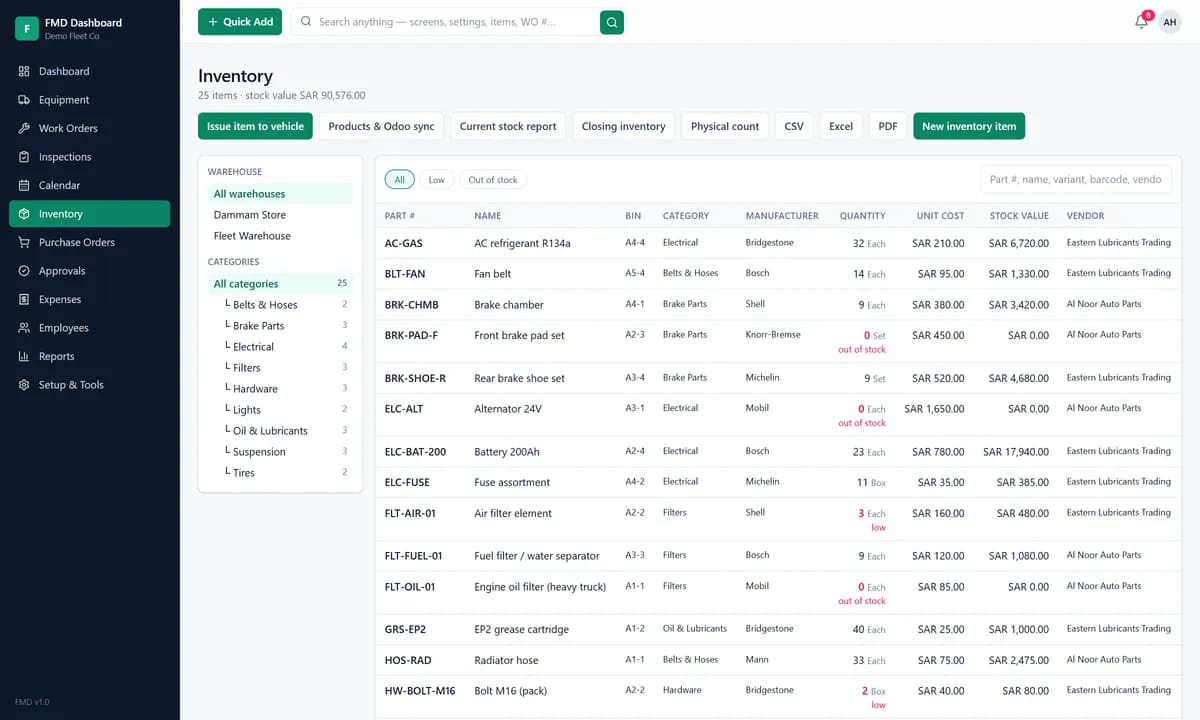
That is what our Fleet Maintenance & Inventory Management System does. The screens below are product screens with demonstration data, not a customer’s records.
- Work orders with parts, labour and downtime on the right vehicle:
- Parts and inventory counted, issued to a vehicle, and reordered before they run out:
If you are weighing a desktop legacy tool, our guide to Fleet Maintenance Pro alternatives compares the fleet-specific options side by side.
How to choose, and roll it out
- 1Write down what it must do before you look at any tool: the assets, the jobs, and the parts you actually track.
- 2Shortlist by fit, not hype. Facilities and mixed equipment: a modern general CMMS. Vehicles and workshops: a fleet-focused system.
- 3Trial it on your real data. Load a few assets and common jobs. A tool that looks good on a demo can still miss your workflow.
- 4Compare first-year totals, not per-user rates.
- 5Roll out where it hurts most. Start with the assets causing the most downtime, get technicians using the phone app, then expand. Adoption, not features, is what makes a CMMS pay off.
We build and run maintenance and parts systems through our fleet management software and inventory management services, and offer a ready Fleet Maintenance & Inventory Management System you can adapt to how you work. Tell us your assets and a few common jobs and we will show you the schedule, the work order and the stock movement on one screen.
Frequently asked questions
A CMMS (computerised maintenance management system) is software that keeps a record of your assets or equipment, schedules preventive maintenance, manages work orders and tracks spare parts and maintenance costs. The point is to move from reactive "fix it when it breaks" to planned maintenance that costs less and causes fewer breakdowns.
If you have more than a handful of assets or vehicles and maintenance currently lives in spreadsheets, a wall planner or people’s heads, a CMMS usually pays for itself. The signs you have outgrown manual tracking are missed or overdue services, repairs whose cost never lands on the asset, and spare parts that run out without warning.
Modern SMB CMMS tools list roughly $16–$45 per user per month, with higher tiers going to $99–$150. Prices differ a lot between vendors and change, and implementation, data migration and training are often charged separately. Always ask for the first-year total, not just the per-user rate.
Commonly shortlisted modern tools are MaintainX (strong mobile app and fast rollout), Fiix by Rockwell Automation (notable free tier), Limble (deep asset features) and UpKeep (compliance and audit readiness). For a vehicle or equipment fleet, a fleet-focused system such as our Fleet Maintenance & Inventory Management System is often a better fit than a generic facilities CMMS.
A small deployment can be running in days if your asset list and a few common jobs are ready; a larger one with data migration and integrations takes weeks. The biggest risk is not the software but adoption, so pick a tool your team will actually use on a phone, and start with the assets and tasks that cause the most pain.
Get new articles by email
How we build automation and software, with the lessons learned. One short email when a new article goes up. No spam.
- #CMMS
- #Maintenance Software
- #Fleet Maintenance
- #Preventive Maintenance
- #Small Business
- #Inventory