
Key takeaways
- 1iOS 26 brings Liquid Glass, a translucent redesign across the whole iPhone interface.
- 2Messages, Phone and FaceTime gain live translation; Phone gets a unified Calls tab and call screening.
- 3Photos splits into Library and Collections, and screenshots open straight into markup with Highlight to Search.
- 4Battery Intelligence shows time to charge, and a new Adaptive power mode extends battery life.
- 5Two new apps arrive: Games and Preview.
iOS 26 is Apple's iPhone update for 2025–26. Its biggest changes are the Liquid Glass redesign, live translation in Messages, Phone and FaceTime, a unified Calls tab with call screening, a reorganised Photos app, Battery Intelligence and two new apps, Games and Preview.
iOS 26 is a big release, and most coverage of it is either a firehose of every change or a breathless summary of three. We have gone through the feature list and organised it into what actually matters for people who use an iPhone every day. How each change feels will depend on your device and how you use it.
What does the Liquid Glass design change?
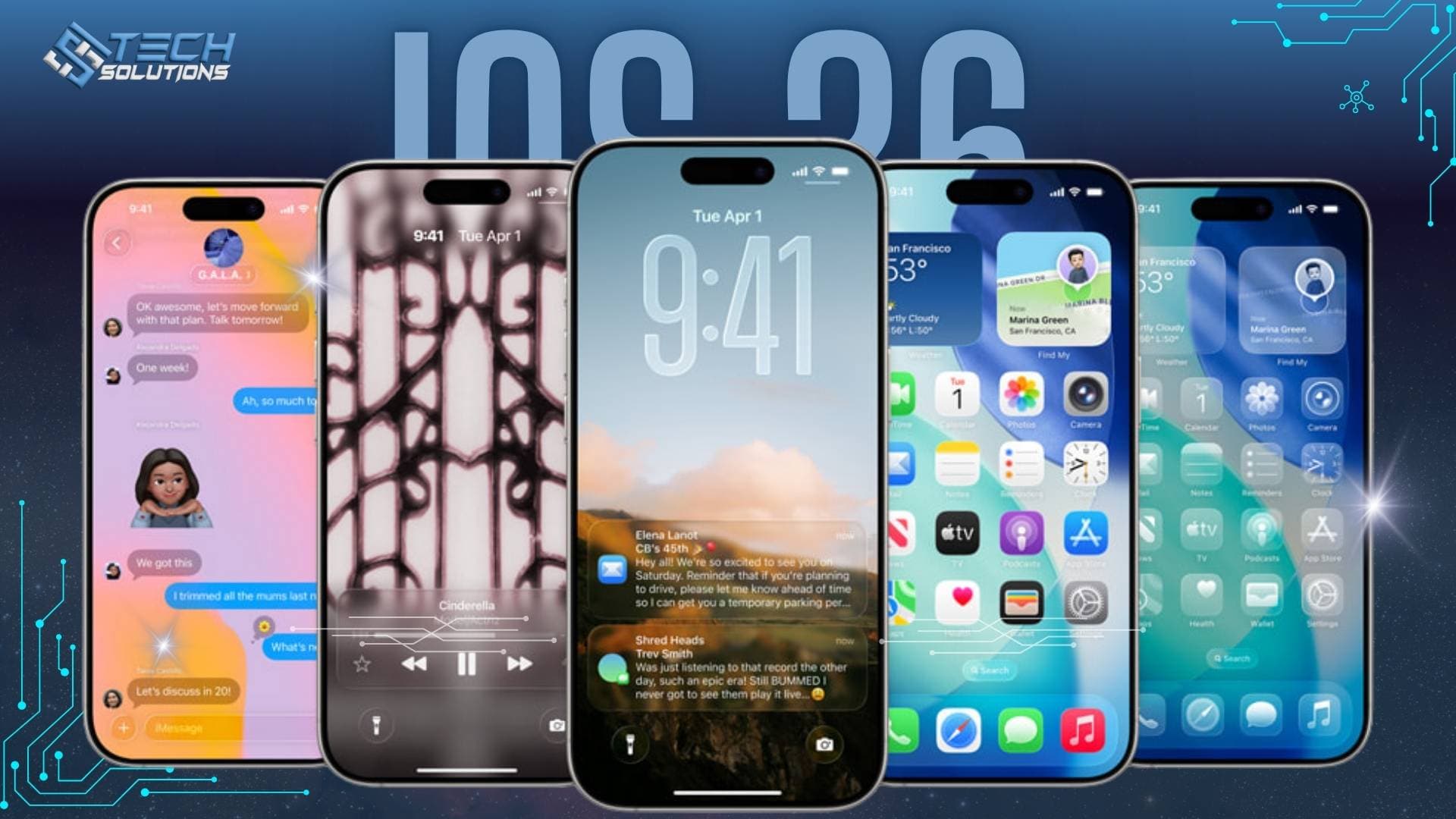
The headline change is visual. iOS 26 moves to a glass-like design across the interface, which Apple calls Liquid Glass. App icons pick up a light-refraction shimmer that responds to the gyroscope as you tilt the phone, and icons can be set to dark, light, clear or tinted styles.
Control Center is redesigned with new effects and a new toggle layout. Animations for widgets, buttons and everyday interactions are more fluid. The keyboard gets rounded keys and glyph-only space and search buttons. Even CarPlay picks up the glass look, along with support for widgets and Live Activities.
The single most useful navigation change is small: you can now swipe back from anywhere on the screen, not just the left edge.
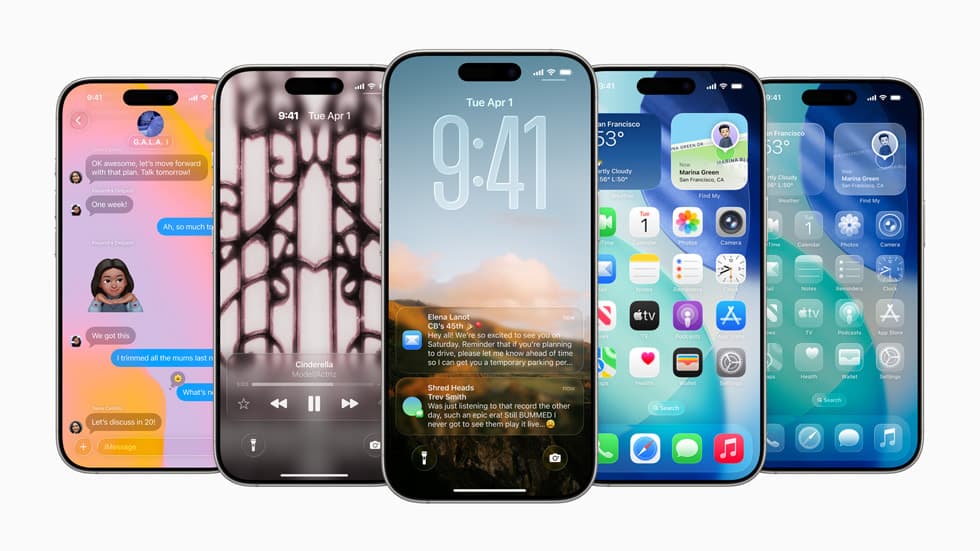
Lock screen and home screen
Lock screen widgets can now sit at the top or bottom of the screen. The clock enlarges to fit subject-focused wallpapers, and you can create "Spatial Scenes" from photos of people or pets for a 3D-like effect.
Notifications get a new shimmer animation, and there is a toggle to blur the wallpaper on the Always-On Display. On the home screen, the icon-size slider becomes a simple toggle and there is a quicker route to editing wallpaper.
Camera, Photos and screenshots
The Camera app moves its mode selector below the capture button and combines format and resolution into an all-in-one toggle. It will also pop up a hint if the lens looks dirty.
Photos is reorganised around two views, Library and Collections, and adds a Spatial Photos toggle for creating animated 3D-like images.
Screenshots change too. Taking one opens a full-screen preview straight into markup. A "Highlight to Search" feature lets you circle part of a screenshot and search it with Google or ChatGPT. Dates and events in screenshots can be detected and added to Calendar, and a dedicated Screen Capture section in Settings covers HDR/SDR and CarPlay screenshots.
What's new in Messages, Phone and FaceTime?
Messages gets the largest set of practical additions:
- Group chat backgrounds, custom or AI-generated.
- Live translation inside chats.
- Polls with real-time voting.
- Typing indicators in group chats.
- Select and copy part of a message bubble.
- Natural-language search.
- Genmoji improvements, including Mixmoji for combining emoji.
Phone gets a unified Calls tab for Recents, Favorites and Voicemail, plus voicemail spam filtering and indicators. Call screening can ask unknown callers for information before your phone rings. Live translation works during phone and FaceTime calls, and FaceTime picks up the glass UI with more camera options.
Apple Intelligence in iOS 26
Apple Intelligence features appear across Shortcuts, Notes, Reminders, Messages, Photos and Camera. Highlights include summaries of emails and newsletters, ChatGPT assistance via screenshot highlighting, real-time message and call translation, and a Shortcuts gallery of prebuilt AI-powered automations. These features need an iPhone 15 Pro or newer.
Music, AirPods and battery
Music adds AutoMix for AI-driven transitions between songs, full-screen animated album art on the lock screen, pinned songs and playlists with custom tap actions, playlist folders, and music haptics that can follow vocals only or the full mix.
AirPods gain a camera remote via stem press, automatic pause when you fall asleep, an option to keep audio in the headphones when connecting to other devices, and charging reminders.
Battery Intelligence shows estimated time to reach 80% or a set maximum, with a charging forecast on the lock screen. A new Adaptive power mode adjusts performance to extend battery life.
Safari, Mail, Notes and the smaller apps
Safari redesigns its address bar and adds a bottom tab view, a cleaner tab-group switcher, and new share options: Create Note, Quick Link and Snippet.
Mail shows a "last updated" time, detects newsletters for easy unsubscribe, and suggests cleanups from iCloud Mail. Notes gains Markdown export and floating toolbars. Reminders auto-categorises and can be added from Control Center or the Action Button.
Elsewhere: Calculator gets a cleaner history. Clock adds custom snooze durations. Maps expands incident reporting and adds indoor airport maps. Wallet tracks online orders via Siri. Passwords shows change history with timestamps. Journal adds a map view, drawing and multiple journals.
New apps and accessibility
Two new apps arrive. Games combines Apple Arcade and Game Center. Preview brings PDF viewing and editing to iPhone in the style of macOS Preview.
Accessibility additions include name recognition, a full-screen Accessibility Reader, and the ability to share accessibility settings between devices.
Should you update to iOS 26?
If you spend your day in Messages and on calls, the translation, polls and unified Calls tab are the changes you will feel first. If you are a camera person, the Photos reorganisation and screenshot tools matter more. The glass design will divide opinion, but the swipe-back-from-anywhere gesture will not.
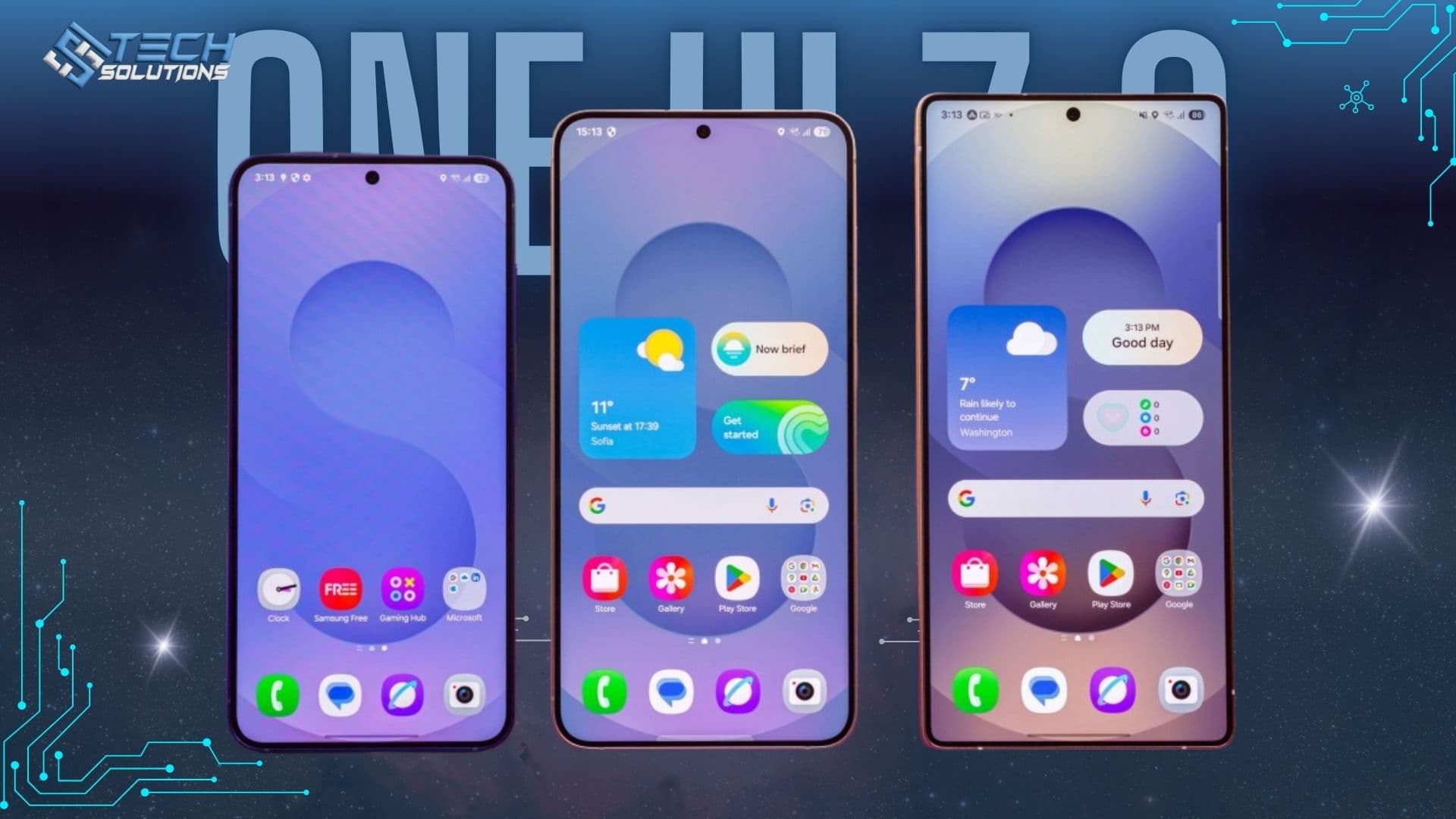
Rolling iPhones out to a team? Our IT support and Microsoft 365 teams set up and manage company devices, or read our One UI 7 review if your team uses Android.
Frequently asked questions
Apple released iOS 26 in September 2025, after announcing it at WWDC in June 2025. It skipped from iOS 18 to 26 so the version number matches the year ahead.
iOS 26 supports iPhone 11 and later, plus iPhone SE (2nd generation) and later. Apple Intelligence features need an iPhone 15 Pro or newer.
Liquid Glass is the new translucent design language in iOS 26. App icons, Control Center, the keyboard, notifications and CarPlay take on a glass-like look that refracts light and reacts as you tilt the phone.
Yes. Turning on Reduce Transparency in Settings > Accessibility > Display & Text Size makes the glass surfaces more solid and easier to read.
For most people it is live translation in Messages, Phone and FaceTime, plus the swipe-back-from-anywhere gesture, which you use dozens of times a day.
Get new articles by email
How we build automation and software, with the lessons learned. One short email when a new article goes up. No spam.
- #iOS 26
- #Apple
- #iPhone
- #Liquid Glass