Key takeaways
- 1Security guard rostering software works best when the shift is the single record that rostering, attendance, payroll and client billing all read from.
- 2Each shift stores its own pay rate and charge rate, so payroll and gross profit come straight from the roster without a second spreadsheet.
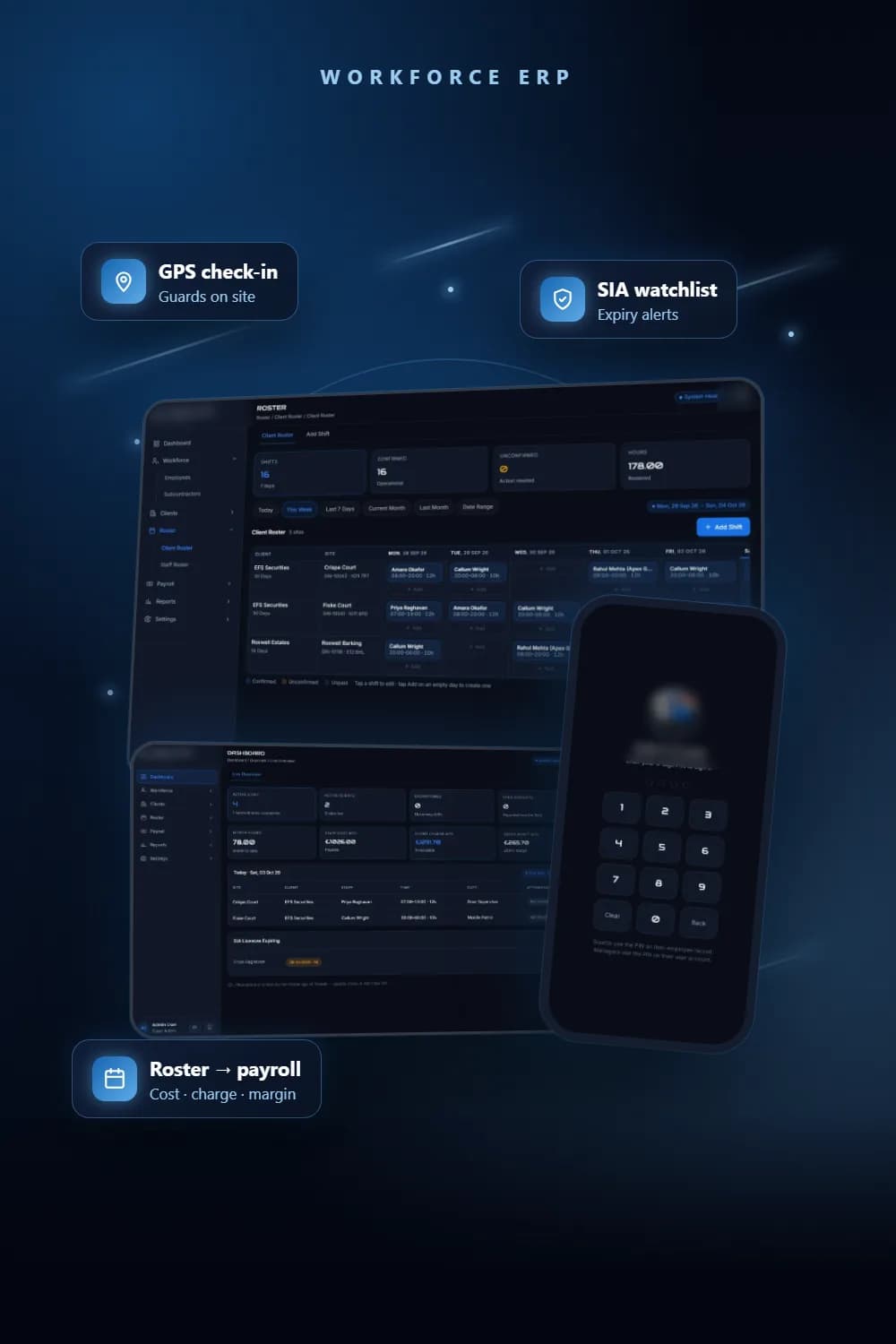
- 3GPS check-in from the guard’s phone writes a real attendance row against the shift, which shows on the admin dashboard and roster straight away.
- 4SIA licence expiry dates live on every guard and subcontractor record, and the dashboard lists anyone expiring within 90 days.
- 5Our two biggest production problems were deployment ones: the host built the wrong app, and the database sat on a disk that every redeploy wiped.
We built a workforce ERP for a UK security guarding company that runs from the roster to the invoice: shifts are planned per client and site, guards check in by GPS from their phones, and the same shift records produce payroll, client charges and gross profit for the month. This post covers how we designed that security guard management software, the decisions that shaped it, and what went wrong when it went live.
The problem
Guards, sites, shifts and SIA licences were tracked in separate sheets. Nobody could see in one place who was on duty today, whose licence was about to expire, or whether a client contract was making money this month.
That is a common picture in guarding. The roster lives in one file, timesheets in another, pay rates in a third and client charge rates in someone’s head. Every month someone reconciles them by hand, and every month the numbers disagree a little.
The brief was one platform: workforce records, clients and sites, rostering, attendance, payroll and reports, with a mobile app that guards and managers use on site.
What did we put at the centre of the data model?
We made the shift the single source of truth. A shift links a client, a site and a member of staff to a date, a start time and an end time, and it works out the hours from those times. Everything else reads from it.
- The client roster and the staff roster are two views of the same shift table.
- Attendance is a separate row attached to exactly one shift.
- Employee payroll, client-based payroll (staff cost) and client payments (charge and gross profit) are all queries over shifts for a date range.
- The reports module (employee timesheets, client, site, payroll, income and invoice reports) reads the same records.
The important detail is that each shift carries its own pay rate and charge rate. When a shift is added, the system fills those in from defaults: the guard’s hourly rate or the site’s rate for the pay side, and the client’s charge rate for the billing side. A supervisor can override either one on that shift. Because the rates are stored on the shift, changing a guard’s hourly rate next month does not rewrite what last month cost.
Cost per shift is hours times the pay rate plus any expense. Charge is hours times the charge rate, or a per-day basis where the client is billed by the day. Gross profit and margin fall out of the difference.
Key decisions
One record for employees and subcontractors
Guarding companies rely on subcontractors, so the roster cannot assume every guard is on the payroll. We stored subcontractor companies with their own pay rate, VAT and payment terms, and the people each company supplies, with their own SIA details and app PIN.
A database view merges employees and subcontracted people into one staff list. The roster, mobile app and payroll all read from that view, so a subcontracted guard can be rostered, check in and appear in reports exactly like an employee, with the company name shown next to them.
GPS check-in that writes real attendance
The guard app is PIN-based. A guard signs in, sees today’s shifts and upcoming ones, and taps check in. That writes an attendance row against the shift with the time and, when the phone allows it, the latitude, longitude and accuracy of the location. Check-out closes the same row.
The server refuses a second check-in on the same shift and refuses a check-out with no check-in. Attendance shows straight away on the admin dashboard as checked in or on duty, and as in and out markers on the roster. The same app also lets guards report incidents and gives managers an overview.
SIA licence expiry tracking on every record
Every employee and subcontractor person has an SIA licence number, licence type and expiry date, with a flag for roles where no licence is needed. Certifications such as training courses sit on the employee record with their own completion and expiry dates.
The dashboard runs a simple rule: list every active member of staff whose SIA licence expires within the next 90 days, soonest first. The guard sees their own SIA and certification status on their profile in the app.
Roles with a per-module permission matrix
Settings holds user roles, and each role has a matrix across the modules: whether the module is displayed, and whether the role can view, create, edit or delete inside it. Four roles are seeded on a fresh database, starting with a full-access Super Admin.
A stack that runs with no install
The server uses only Node.js built-in modules, including its built-in SQLite driver. There is no npm install and no build step, so the client can run it on one laptop for the office Wi-Fi, and phones on the same network open the mobile app directly. For hosting we packaged it in a small container for Railway. We wrote the schema to port to PostgreSQL with dialect changes only, which is the production target in the client’s technical requirements.
What went wrong and how we fixed it
The host deployed the wrong app
An earlier UI prototype had been built in Next.js, and the root package file still declared it. The hosting platform detected Next.js, built the dead prototype and served its old login page instead of the real system. We moved the prototype into a legacy folder and pointed the package file at the real server. With no dependencies, a deploy now installs nothing and builds nothing, so what runs online is exactly what runs locally.
Railway then rejected the Dockerfile because it declared a volume, which Railway handles through its own volumes. We removed that line and attached a Railway volume instead.
Every redeploy could wipe the data
SQLite needs a disk that survives restarts. The database path has to match where the volume is mounted, and a wrong mount path silently leaves the data on the container’s temporary disk. Attaching a volume is itself a redeploy, so data already live would be lost at that moment.
We added backup and restore to Settings. A backup is one JSON file of every table except live sessions, with ids kept so relationships survive. Restore runs in a single transaction, so it applies completely or changes nothing. We also wrote a small export tool that pulls a full backup from an already-running instance, so the data could come out before the volume went on. The System screen now reports whether the database will survive a redeploy.
The admin app needed a proper sign-in
The first build had no login, which is fine on an office network and not fine on a public address. We added a sign-in with work email and PIN. Sessions are a random token in an HttpOnly cookie with the state held on the server, so the idle timeout cannot be dodged by leaving a tab open. The app signs a user out after 20 minutes idle, with a 12-hour hard limit, and warns a minute before.
Two smaller issues surfaced. If someone pressed Enter before the page script loaded, the browser could submit the form as a plain GET and put the email and PIN in the address bar. We fixed the form and strip those values from the URL on load. And because the mobile app checks staff PINs before manager PINs, a shared PIN would quietly sign a manager in as a guard, so PINs must now be unique across users and staff.
Lessons
- Pick the one record everything else reads from before building screens. For guarding, that is the shift.
- Store rates on the transaction, not only on the person or client, or history changes when rates change.
- Treat subcontracted guards as first-class staff from day one, not as an afterthought in payroll.
- Decide where the database lives in production before the first real record goes in, and ship backup and restore early.
- Put authentication in before the system is reachable from the internet, not after.
Checklist for businesses with the same problem
- Can you see today’s shifts and who has actually checked in, on one screen?
- Do roster, timesheets, payroll and client billing come from the same records?
- Is every guard’s SIA licence number, type and expiry date recorded, with an alert well before expiry?
- Can you roster subcontracted guards and see their cost alongside your own staff?
- Can you see gross profit per client and per site for the month without a spreadsheet?
- Do staff sign in with their own credentials, and are idle sessions closed automatically?
- Can you take a full backup and restore it in one step?
See the full project
Screens, features and the stack are on the full project page. If you run a guarding or facilities business and want something similar, see our custom software solutions, attendance systems and mobile app development services, or contact us to talk it through.
Frequently asked questions
At minimum: client and site records with charge rates, a roster grid per client and per guard, attendance check-in, SIA licence tracking and payroll that reads from the same shifts. In our build those all share one shift record, so nothing is typed twice.
The guard signs in to the mobile app with a PIN, picks today’s shift and taps check in. The app records the time and, if the phone allows it, the GPS coordinates and accuracy against that shift. Check-out closes the same record.
Yes. Every employee and subcontractor person has an SIA number, licence type and expiry date. The dashboard shows a watchlist of active staff whose licence expires within the next 90 days.
Yes. Subcontractor companies are stored with their own pay rate and terms, along with the people they supply. Those people can be rostered, check in on the mobile app and appear in payroll alongside employed guards.
SQLite let the system run with no install and no build step, on a laptop or a single server with a persistent volume. We wrote the schema so that moving to PostgreSQL needs only dialect changes, not a redesign.
See the full project
Services used in this project
Get new articles by email
How we build automation and software, with the lessons learned. One short email when a new article goes up. No spam.
- #Security Guard Rostering
- #Workforce Management
- #SIA Licence Tracking
- #GPS Attendance
- #Custom ERP